 Richard Pikmets
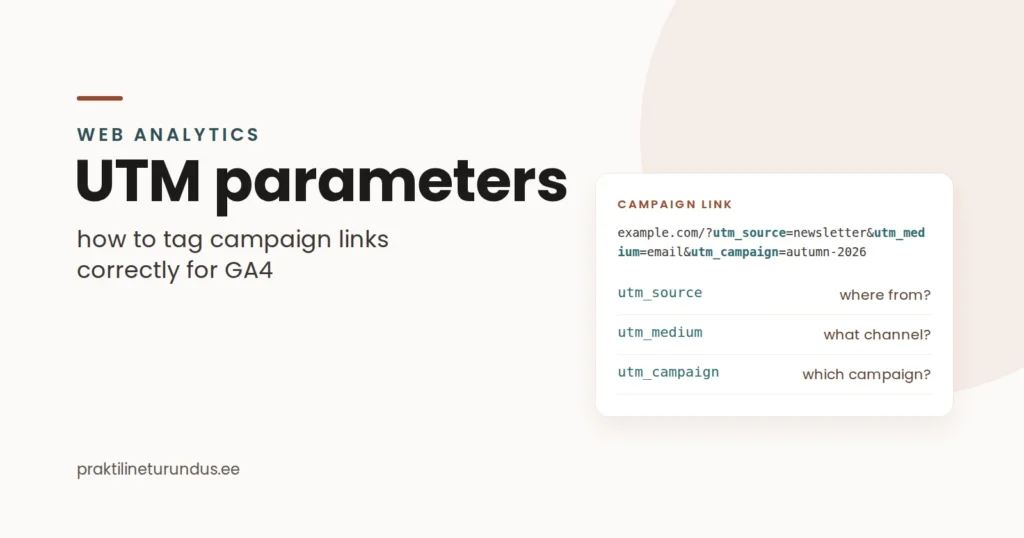
UTM parameters help you tag campaign links so that Google Analytics 4 shows which source, medium and campaign a visitor came from. But they’re only useful if the naming is consistent and UTMs are used in the right places.
In short
Source ≠ medium
utm_source describes the specific source, utm_medium the channel type.
Consistency is critical
If you mix facebook, Facebook and fb, your report gets fragmented for no reason.
Don’t add UTMs to internal links
UTMs are meant for tagging campaign visits that come from outside.
When a campaign brings visitors to your website from several channels, the question quickly arises of how to tell apart, say, a newsletter, a partner link, a Meta ad or another paid campaign. UTM parameters give you a standard way to do it: values are added to the end of the campaign link, and analytics uses them to recognise the visit’s source and campaign.
According to Google Analytics’ official documentation, URLs tagged with UTM parameters show which campaigns bring visitors, and these values appear in the Traffic acquisition report, among others. The Google Analytics URL builder guide describes the campaign parameters used for this.
What are UTM parameters?
UTM parameters are URL query parameters that mark where campaign visits come from. In practice, they’re added to the end of the landing page address. For example:
https://example.com/service/?utm_source=newsletter&utm_medium=email&utm_campaign=autumn-campaignWhen someone opens this link and Analytics receives the campaign data correctly, you can tell the source, medium and campaign apart in reports. Google’s manual tagging guide maps UTM values to the corresponding GA4 dimensions.
What do utm_source, utm_medium and utm_campaign mean?
| Parameter | What it describes | Example |
|---|---|---|
utm_source | The specific source or platform | google, facebook, newsletter |
utm_medium | The type of marketing channel | cpc, paid_social, email |
utm_campaign | Campaign name | autumn-campaign-2026 |
utm_id | Campaign ID | 12345 |
utm_term | Keyword or other targeting distinction | google-ads |
utm_content | Distinguishes the ad, link or creative variant | hero-button-a |
According to Google, source shows the platform or place the visitor came from, medium the channel type and campaign the specific campaign. These three values form the core logic of most manually tagged campaigns. The GA4 guide to traffic-source dimensions explains their role in reporting.
How to create a UTM naming convention that won’t fall apart in three months
Technically, adding a UTM is easy. The real problem starts when people use different names for the same channels. For example, one campaign’s data can be split between the values facebook, Facebook, fb and meta . Each value may look logical on its own, but together they make reporting messy.
- Choose one name per source. For example,
facebook, not facebook one time and fb the next. - Agree on mediums in advance. For example, paid social is always
paid_socialand email is alwaysemail. - Use the same structure for campaign names. For example,
product-market-periodorservice-goal-month. - Avoid personal data. Don’t put email addresses, names or other sensitive identifiers in UTM values.
- Document the convention. One simple table of naming rules reduces errors more than a complex builder without an agreement.
Does Google Ads need UTM parameters?
Through linked accounts and auto-tagging, Google Ads and GA4 can use more campaign data than manually added UTMs alone. So it doesn’t make sense to treat manual tagging as the only or default method for tracking Google Ads.
Google’s guide to manual tagging and auto-tagging distinguishes manual UTM tagging from ad platform integrations. If Google Ads and GA4 are linked, review your whole tracking logic first, and don’t add UTMs to every link out of habit.
If you need your whole campaign tracking checked, see the conversion tracking service or the guide to how GA4, Google Tag Manager and Google Ads work together.
Where to use UTM parameters
- newsletter links;
- paid social campaigns;
- partner links;
- QR codes and offline campaigns that lead online;
- other external campaign links whose origin you want to track.
Why you shouldn’t use UTMs on internal links
UTM parameters are mainly meant for tagging campaign visits that come from outside. If you add them to your own website’s buttons or menu links, you overwrite the original campaign information in your reports, even though the same visitor is actually continuing the same visit.
The practical rule is simple: use ordinary links for internal navigation, and track button clicks as events if needed. GA4’s traffic-source dimensions show where campaigns come from. You can create a campaign link with the UTM builder.
How to view UTM data in GA4
In GA4, correctly sent campaign values end up in the traffic-source dimensions. For example, session source, session medium and campaign help you analyse where a specific session came from, while first user dimensions describe how the user was first acquired.
Google’s Manual report documentation shows that UTM parameters populate the session manual campaign name, session manual medium and session manual source dimensions, among others.
At channel level, you also need to take GA4’s default channel group rules into account. Google’s default channel group definitions use source, medium and, in some cases, campaign values for manually tagged traffic to sort visits into channels. So a wrong utm_medium can put visits into an unexpected channel or under Unassigned.
Seven common UTM mistakes
- Source and medium are mixed up.
- Naming isn’t consistent.
- UTMs are added to internal links.
- The campaign name is too generic.
- Sensitive information is put in the URL.
- UTMs are used without a reporting plan.
- UTMs replace a tracking strategy.
When is a UTM builder actually useful?
A builder helps reduce technical errors and speeds up building URLs, but it doesn’t decide your naming rules for you. The best workflow is one where the team has an agreed source/medium logic, a campaign name format and a clear place to keep finished links.
Praktiline Turundus’s free UTM builder lets you build a campaign link with utm_source, utm_medium, utm_campaign, utm_id, utm_term and utm_content values. If your campaign tracking as a whole needs an audit, see also the web analytics service.
Frequently asked questions
Which UTM parameters matter most?
For most manually tagged campaigns, the core fields are utm_source, utm_medium and utm_campaign. If needed, you can add utm_id, utm_term and utm_content values.
Do I need to add UTMs to Google Ads links?
Not always. Google Ads and GA4 can use auto-tagging and their own integrations. Before adding UTMs manually, check what tracking logic the account uses and what reporting you actually need.
Can I use UTM parameters on internal links?
Generally, no. Use events to track internal website navigation instead. Keep UTMs for tagging campaign visits that come from outside.
Sources
- Google Analytics Help: URL builders – collect campaign data with custom URLs
- Google Analytics Help: Traffic-source dimensions, manual tagging and auto-tagging
- Google Analytics Help: Traffic-source dimensions
- Google Analytics Help: Default channel group
- Google Analytics Help: Manual report
Google Analytics channel rules and reports can change. The time-sensitive details in this article were checked against Google’s official documentation on 11 September 2026.


