 Richard Pikmets
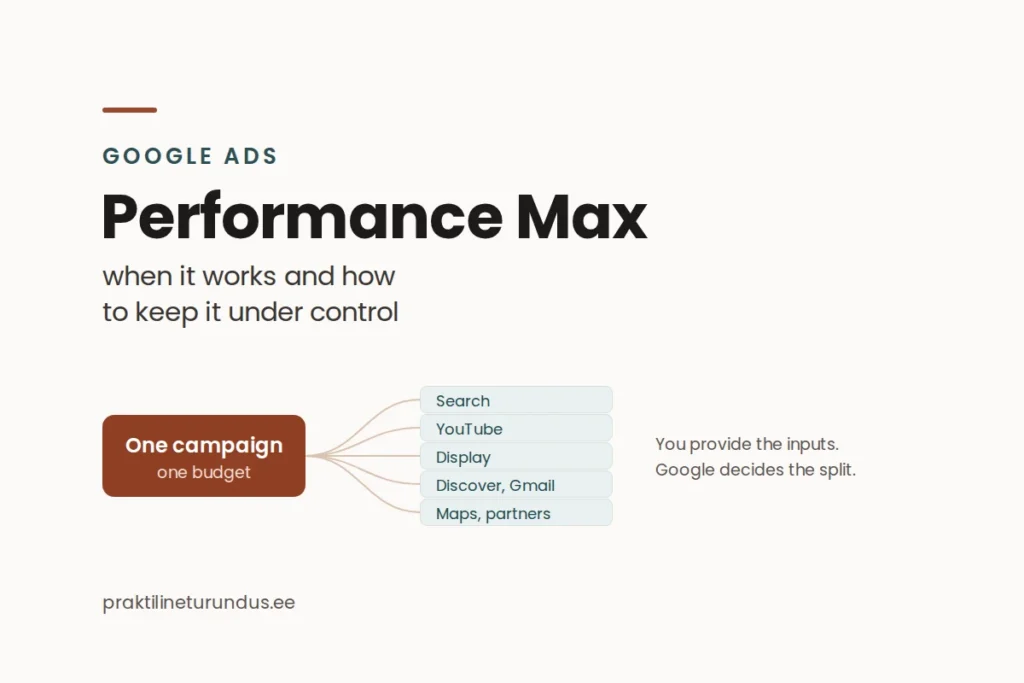
Performance Max is a Google Ads campaign type that splits one budget across seven Google channels. Some advertisers get more out of it than out of Search, while others spend money for months without understanding where it went. The difference isn’t luck. It’s how clearly you’ve built the campaign before launch.
In short
A different logic
You provide the goal and the assets, Google picks the channels. PMax isn’t “Search, but better”.
You don’t control the split
You can’t split the budget between channels yourself. What you can influence is what you give the algorithm.
Tracking decides
Without a reliable conversion, PMax isn’t fast. It’s fast at learning the wrong thing.
What Performance Max is and where it shows ads
Performance Max is a goal-based campaign type: you don’t buy keywords or choose placements. Instead, you provide a business goal, creative assets and audience signals about who a good customer is. Based on these inputs, Google looks for conversions everywhere it has access to.
Google’s channel performance report lists seven channels. They aren’t separate campaigns, but places where the same campaign shows ads.
The campaign objective must be one of four: sales, leads, website traffic, or local store visits and promotions. Bidding uses Smart Bidding: maximise conversions or conversion value, optionally with a target (Target CPA or Target ROAS).
Campaign structure: asset groups, audience signals and search themes
A Performance Max structure is simpler than a Search one, but that’s exactly why each input carries more weight. The three things that affect results most are asset groups, audience signals and search themes.
The audience signal is where people go wrong most often. It isn’t targeting. It’s a hint about who to start with. If your signal is “all website visitors”, you’ve told the algorithm very little. If you provide a Customer Match list of existing customers or a specific high-value segment, you’ve told it something useful.
What you actually control, and what you don’t
In recent years, Google has steadily added more controls to Performance Max. But one limit is still clear, and it’s worth being honest with clients about it: the advertiser can’t decide how the budget is split between channels.
You can control
- the objective, budget and bid strategy;
- creative assets and how asset groups are split;
- search themes, up to 50 per asset group;
- campaign-level negative keyword lists;
- brand exclusions and brand safety settings;
- devices and age groups;
- Final URL expansion and the assets it creates.
You can’t control
- how the budget is split between channels;
- bids for one specific channel;
- excluding a channel completely;
- which assets an ad is put together from;
- every individual search term, as in Search.
In practice, this means that if PMax spends most of the budget on the Display Network and the results are weak, there’s no “turn off Display” button. You have indirect levers: creative quality, the audience signal, brand safety settings, placement exclusions and negative keywords. They influence the split, but they don’t decide it.
I don’t launch Performance Max on an account where button clicks count as conversions. PMax learns faster than Search, but that also means it reaches the wrong goal faster.
Richard Pikmets
When PMax works and when it doesn’t
| Situation | Is PMax a good fit? | Why |
|---|---|---|
| Online shop with a product feed and purchases tracked with value | Yes, a strong choice | Value-based optimisation gets the right data and the feed provides creative |
| Service business where lead quality varies | Only with lead qualification | Form submissions alone teach the algorithm to find cheap leads, not good ones |
| Small account, under 30 conversions a month | Probably not yet | Smart Bidding doesn’t have enough data; Search gives a readable result sooner |
| Strong brand with lots of branded searches | Yes, but with brand exclusions | Otherwise PMax picks up cheap branded searches and the report looks better than reality |
| New product with no demand yet | No | PMax looks for conversions, but it doesn’t create demand for a new product |
Six steps before launch
1. Check the conversion from start to finish
Submit a real test enquiry and check that the event fires only after a successful submission, that it isn’t counted twice and that Google Ads optimises for exactly that conversion. If you skip this step, the other five are pointless. There’s a separate guide to the technical chain: how GA4, Google Tag Manager and Google Ads work together.
2. Decide whether the campaign optimises for volume or value
If all conversions are equal in business terms, maximising conversions works. If their value varies a lot (for example, a small and a large order, or an unqualified and a qualified lead), pass the values along and optimise for value. The difference is bigger than most advertisers think.
3. Build asset groups by theme, not everything in one
One asset group per clear offer or product category. If you squeeze three very different services into one asset group, you won’t be able to tell from the report which message worked.
4. Decide on branded searches before launch, not after
Decide in advance whether PMax may pick up branded searches. If not, add brand exclusions and campaign-level negative keywords straight away. Otherwise, the first month’s report will show results you didn’t actually pay for.
5. Make a deliberate decision about Final URL expansion
Final URL expansion lets Google send visitors to other pages on your site too. If your site has pages that aren’t suitable as ad landing pages, limit the expansion or exclude them. Google Ads also shows the assets the expansion created itself, so review them.
6. Agree on when you’ll decide
Before launch, set the date of the first review, the number of conversions you need and the criterion. With PMax, the temptation to change something after a week is especially strong. A change in the middle of the learning period makes the result unreadable.
Practical tip
Don’t launch Performance Max and a new Search campaign in the same week. If both are new, you won’t be able to tell later which one moved the result. Let one campaign stabilise before adding the other.
How to read the results
Google Ads has a channel performance report for Performance Max that shows impressions, clicks, conversions, conversion value and cost by channel. That’s an important step forward: PMax used to be a black box in this respect.
The channel report answers the question “where was the ad shown?”. It doesn’t answer “was the lead any good?”. In a service business, that answer comes from your CRM or at least from the lead qualification status. How to match the platform’s number with the real business result is covered in a separate guide to CPA and ROAS, and you can work out a ballpark budget with the Google Ads budget calculator.
One technical detail that causes confusion: asset-level and channel-level reports don’t always match. An image asset can bring conversions from Discover, YouTube or Search, not Display. So don’t equate an asset’s results with a single channel.
Common mistakes
- PMax is launched “as a test” without a goal. A test without a success criterion doesn’t end in a decision, just an opinion.
- Every existing segment is added as an audience signal. The broader the signal, the less the algorithm learns from it.
- Brand exclusions are left for later. The first month’s ROAS looks good and the decision is made on the wrong basis.
- Only the minimum creative is provided. One image and one video means the system has nothing to choose between.
- The campaign is changed every couple of days. Learning starts again with every major change.
- Search is switched off to “give PMax room”. That way you lose control over the searches with the clearest purchase intent.
Frequently asked questions
Does Performance Max replace Search?
No. Search gives you keyword and search term level control that PMax doesn’t have. On most accounts they work together: Search covers clear purchase intent, while PMax looks for results more broadly.
Can I see which channels the results came from?
Yes. The channel report shows impressions, clicks, conversions, conversion value and cost for each of the seven channels. But you can’t split the budget between them yourself.
How big a budget do I need?
There’s no universal amount. Start from how many conversions you need to make a decision and what an acceptable cost per acquisition is. If your budget doesn’t allow enough conversions a month, PMax isn’t the right place to start yet.
Does PMax need a product feed?
It isn’t required, but for an online shop it makes the campaign much stronger. Without a feed, the campaign relies only on the assets you upload.
Sources
- Google Ads Help: About Performance Max campaigns
- Google Ads Help: About the channel performance report for Performance Max
- Google Ads Help: Unlock more visibility and control in Performance Max
- Google Ads Help: Apply brand exclusions to Performance Max or Search campaigns
- Google Ads Help: How to use brand suitability features in Performance Max
The channels, controls and reporting were checked against Google’s official documentation on 18 September 2026. Google changes Performance Max features often.


