 Richard Pikmets
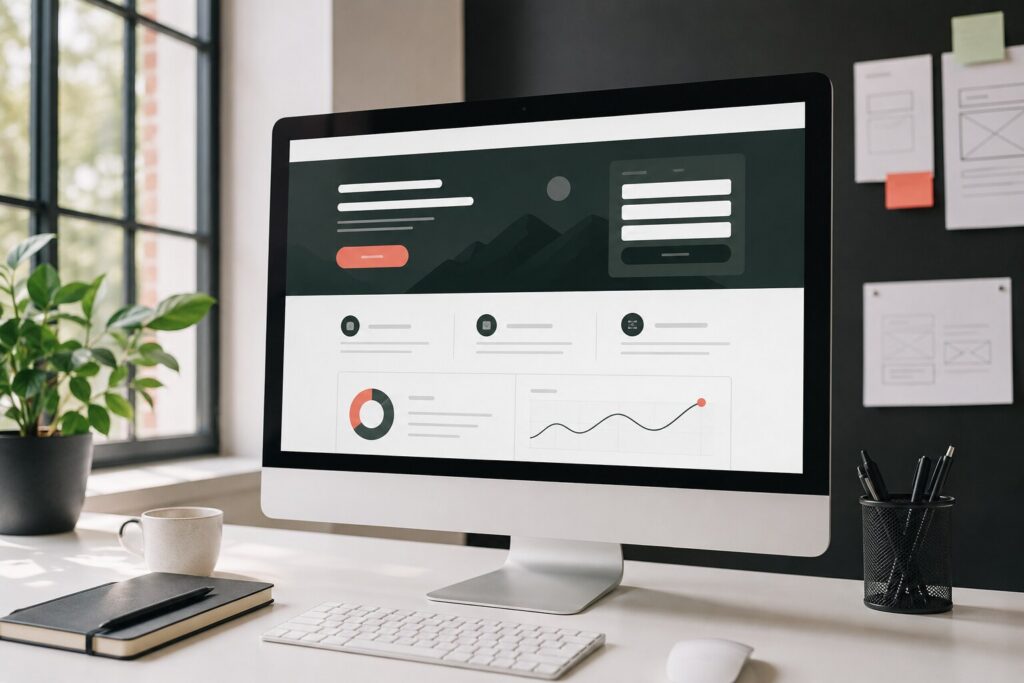
An ad can bring the right person to your website, but the click itself isn’t a result yet. The landing page’s job is to help visitors quickly understand whether the offer suits them, where the value lies and what to do next. This guide gives you a practical framework for planning, checking and measuring the page before you increase your ad budget.
In short
A clear promise
The headline and first screen have to continue the promise made in the ad or search result.
One main action
The page needs a clear primary next step: an enquiry, purchase, booking, sign-up or call.
Verified tracking
A completed action counts as the result, not just a button click or opening the form.
What is a landing page?
Google Ads defines a landing page as the web page people reach after clicking an ad; usually, it’s the ad’s final URL. From a campaign perspective, a “landing page” doesn’t necessarily mean a separate technology or a single-screen page. What matters is the page’s role: it receives visitors with a specific intent and guides them to a specific action. Google Ads’ definition of a landing page also stresses useful, relevant information and meeting the user’s expectations.
Homepage or a separate landing page?
Homepage
A homepage usually has to serve several audiences and goals. It has more navigation, services, company information and possible paths.
It can work for brand searches or general browsing when someone is still getting to know the company.
Landing page
A landing page focuses on one offer, audience or campaign. Its message, proof and call to action (CTA) match the ad’s promise as closely as possible.
It’s the better choice when the campaign promotes a specific service, product, offer or registration.
There’s no need to create a separate page just to have a new URL. If an existing service page matches the search intent exactly, contains the necessary information and leads to a clear action, improving it may be a faster and stronger solution.
Why does the landing page affect Google Ads results?
Google Ads’ Quality Score is made up of three diagnostic components: expected click-through rate, ad relevance and landing page experience. Google states clearly that the 1–10 Quality Score is not itself an input into the ad auction or a key metric. It’s best used for diagnosis: is the problem likely to be in the ad, the keyword or the page? Google’s Quality Score documentation describes landing page experience in terms of how relevant and useful the page is to the person who clicked the ad.
But the link between ad and page isn’t just a reporting matter. Google’s Ad Rank takes ad and landing page quality into account during the auction, among other things. The practical goal isn’t “chasing the score”, but delivering on the ad’s promise and making the action that’s valuable to the business easy.
The landing page also has to comply with advertising policies. According to Google Ads’ destination requirements, the page must work in common browsers and on common devices, be accessible from the targeted location and to Google’s AdsBot, and not make navigation unnecessarily difficult or disruptive.
Make five decisions before designing
- Define the primary conversion. Is the valuable result a purchase, form enquiry, booking, qualified call or sign-up?
- Define your visitors. Write down which search, ad, audience and offer bring people to the page.
- Phrase one promise. The ad, headline and offer content all have to talk about the same thing.
- List the information needed to decide. Price, scope, fit, process, delivery, terms and risks depend on the offer, but the answer mustn’t stay hidden behind the headline.
- Describe the tracking plan. Define when an action counts as completed, where the event is sent and how lead quality is checked.
If these decisions haven’t been made, the design turns into a debate about colours, images and button shapes. These can affect the user experience, but they don’t replace a clear offer or a measurable goal.
The structure of a landing page that works
1. The headline matches the visitor’s intent
The headline should say what’s on offer, for whom and in the context of what result or problem. If the ad promises a Google Ads audit, the person shouldn’t land on a general digital marketing page. Google recommends that the landing page match the ad and keywords and reflect the call to action used in the ad. Google’s landing page optimisation guide recommends making important information visible quickly and not making people hunt for it several steps away.
2. The hero section makes the offer clear
The first screen doesn’t need to answer every question, but it should have enough context that the right person wants to continue. Check at least four things:
- the name and content of the offer are specific;
- the user understands who the solution is for;
- the main benefit isn’t hidden behind a vague slogan;
- the primary call to action is visible and it’s clear what it leads to.
3. The content reduces uncertainty about the decision
A good landing page isn’t necessarily short. Its length depends on how complex, expensive or risky the decision is. For a service, you may need the scope of work, process, prerequisites, timeline and limits of fit. In an online store, product details, price, delivery, returns and the checkout path matter. Keep what helps your target user decide; remove side topics that lead away from the main goal.
4. Proof is specific and verifiable
Only use reviews from real customers, case studies, certificates, product data or other proof you have grounds to publish. The proof has to support the specific promise made on the page. A generic row of logos doesn’t explain the result, and a made-up review damages trust.
5. The call to action describes the next step
“Send an enquiry” may be enough, but more specific text often helps: “Request an account audit”, “Book a consultation” or “Check availability”. Near the button, say what happens after the click. If the page has several buttons, they can repeat the same main action after different content sections; they don’t need to send people in different directions.
The form has to be short, clear and tested
Only ask for information you need to handle the enquiry or complete the transaction. W3C’s accessible forms guidance recommends keeping forms simple and short, giving every field a clear text label and providing understandable feedback both on errors and on successful submission. The W3C forms tutorial stresses that a placeholder is no substitute for a properly associated field label.
- show which fields are required;
- explain the required format before an error occurs if the input has special requirements;
- describe the error in text and say how to fix it;
- show an unambiguous confirmation after submission;
- check that the enquiry actually reaches the right email inbox, CRM or other workflow;
- test the form with a keyboard and on a mobile device.
A longer form can be justified if every question helps qualify the enquiry and the user understands why it’s asked. The goal isn’t always as many form completions as possible, but good-enough contacts the business can actually serve.
Mobile experience and speed aren’t finishing touches
Check the page on a real phone, not just in a narrowed desktop browser window. The headline, price, main action and form must be readable; a cookie banner, chat window or other fixed element mustn’t cover the button or fields. For ad landing pages, Google recommends a fast, mobile-friendly and easy-to-navigate experience.
For technical performance, Core Web Vitals provide a starting point. Google’s Web Vitals documentation defines the recommended thresholds for a good experience at the 75th percentile: LCP up to 2.5 seconds, INP up to 200 milliseconds and CLS up to 0.1. These metrics don’t replace user testing or the business conversion rate, but they help uncover slow loading, sluggish responses and layout that jumps around.
Measure the completed action, not just intent
If the goal is a form enquiry, don’t count just a button click or opening the form as a conversion. Track the event when the system confirms a successful submission. Google Analytics’ recommended event generate_lead is meant for when a lead has actually been generated, for example through a form. In an online store, use the purchase event to track a completed purchase. See the Google Analytics recommended events documentation.
A practical tracking chain can connect Google Tag Manager, GA4 and ad platform conversions. Before launching the campaign, check the event in Realtime or DebugView and separately make sure the enquiry also reaches the business’s workflow. If you need the whole chain audited, see the conversion tracking service and the article on how GA4, GTM and Google Ads work together.
If the page uses analytics and advertising tags, also test different consent states. The user’s choice has to reach the tags at the right time, and the same flow needs to be tested when the user accepts, declines and changes their choice. The technical background is covered in the article on Cookie Consent and Consent Mode.
Checklist before launching ads
- The ad’s final URL opens the right page and works in the target country.
- The page works in common browsers, on both phone and desktop.
- The headline, offer and call to action match the ad’s promise.
- Price, terms, process or other information needed to decide can be found.
- The main action is clear and side links don’t overshadow it.
- Form labels, error messages and success confirmations work.
- Phone numbers, email, booking and the checkout path have been tested.
- GA4 and the ad platform receive the event only after the action is completed.
- The enquiry reaches email, the CRM or a team member with the necessary information.
- Cookie choices and tag behaviour have been checked in different consent states.
How to improve a landing page based on data
Start with the problem point, not a random design element. If visitors don’t reach the form, look at how clear the message is, how easy the page is to scan and how visible the call to action is. If the form is opened but not submitted, test the fields, error messages and the amount of information requested. If enquiries come in but aren’t a good fit, refine the ad targeting, the limits of the offer and the qualifying questions.
A landing page’s conversion rate is the number of completed main actions divided by the number of relevant visits or sessions, multiplied by one hundred. Use the same definition before and after a change, and look at results at least by campaign, device and search intent. Don’t draw firm conclusions from a couple of visits or one random enquiry.
Test one meaningful hypothesis at a time: for example, whether a more specific headline improves form starts, or whether clearer pricing information reduces unsuitable enquiries. Evaluate changes in volume, conversion rate and sales quality together. If Google Ads brings clicks but not leads, the article “Why isn’t Google Ads bringing in leads?” helps you prioritise the next checks.
Common mistakes
- every campaign is sent to the homepage, even though the offers and intents differ;
- the ad promises a specific solution, but the page talks about the company in general;
- the main information and call to action appear only after a long introduction;
- the form rejects normal input as an error but doesn’t explain how to fix it;
- success is measured as a button click, even though the form wasn’t submitted;
- on mobile, a pop-up covers the form or the call-to-action button;
- page quality is judged only by the number of conversions, not by how suitable the enquiries are;
- the ad budget is increased before the landing page has been tested technically and in terms of content.
When is it worth rebuilding the page?
A new landing page is justified if the existing page serves too many audiences at once, can’t continue the ad’s promise accurately or is unreasonably difficult to change technically. If the problem is only an unclear headline, a broken form or wrong tracking, improving the existing page is often enough.
The landing page, ad and tracking are one whole. Google Ads or Meta ads optimisation won’t give you the full picture if what happens after the click isn’t tested and the actual quality of enquiries isn’t assessed.