 Richard Pikmets
LinkedIn ads are especially interesting when you can describe a good customer by their job role, company or professional background. But the channel isn’t automatically a good B2B choice: the result depends on the objective, audience size, offer, budget and whether you can measure lead quality all the way through.
In short
Don’t start with the format
First decide whether you need awareness, website visits, leads or website conversions.
Targeting is a strength, not a miracle cure
Targeting by job role or company won’t save a weak offer or a market that’s too small.
CPL isn’t the end result
A cheap contact can be a bad lead. Where possible, connect the campaign to lead qualification and real sales.
LinkedIn ads can be a very precise tool, but it’s usually not a channel where you just add “one more campaign”. LinkedIn’s advantage shows when your buyers can reasonably be described by professional attributes and the ad leads to a clear next step: a meaningful contact, a qualified lead, a booked meeting, a website conversion or another measurable result.
This guide focuses on paid LinkedIn Ads, not organic posting. The aim is to help you decide when to test the channel, how to avoid targeting that’s too narrow and how to connect Campaign Manager numbers to real business results.
What are LinkedIn ads?
LinkedIn ads are paid reach to LinkedIn’s professional audience, bought through Campaign Manager. When setting up an ad, you choose a marketing objective, an audience, suitable ad formats, a budget and a bidding approach. According to LinkedIn’s official documentation, the chosen objective determines, among other things, which formats, bidding strategies and optimisation goals are available in the campaign.
What sets LinkedIn apart is targeting. Besides location, Campaign Manager lets you use options based on company, work experience, education, interests and other professional profile attributes. Matched Audiences lets you use company or contact lists and various retargeting audiences, among other things.
When are LinkedIn ads worth it?
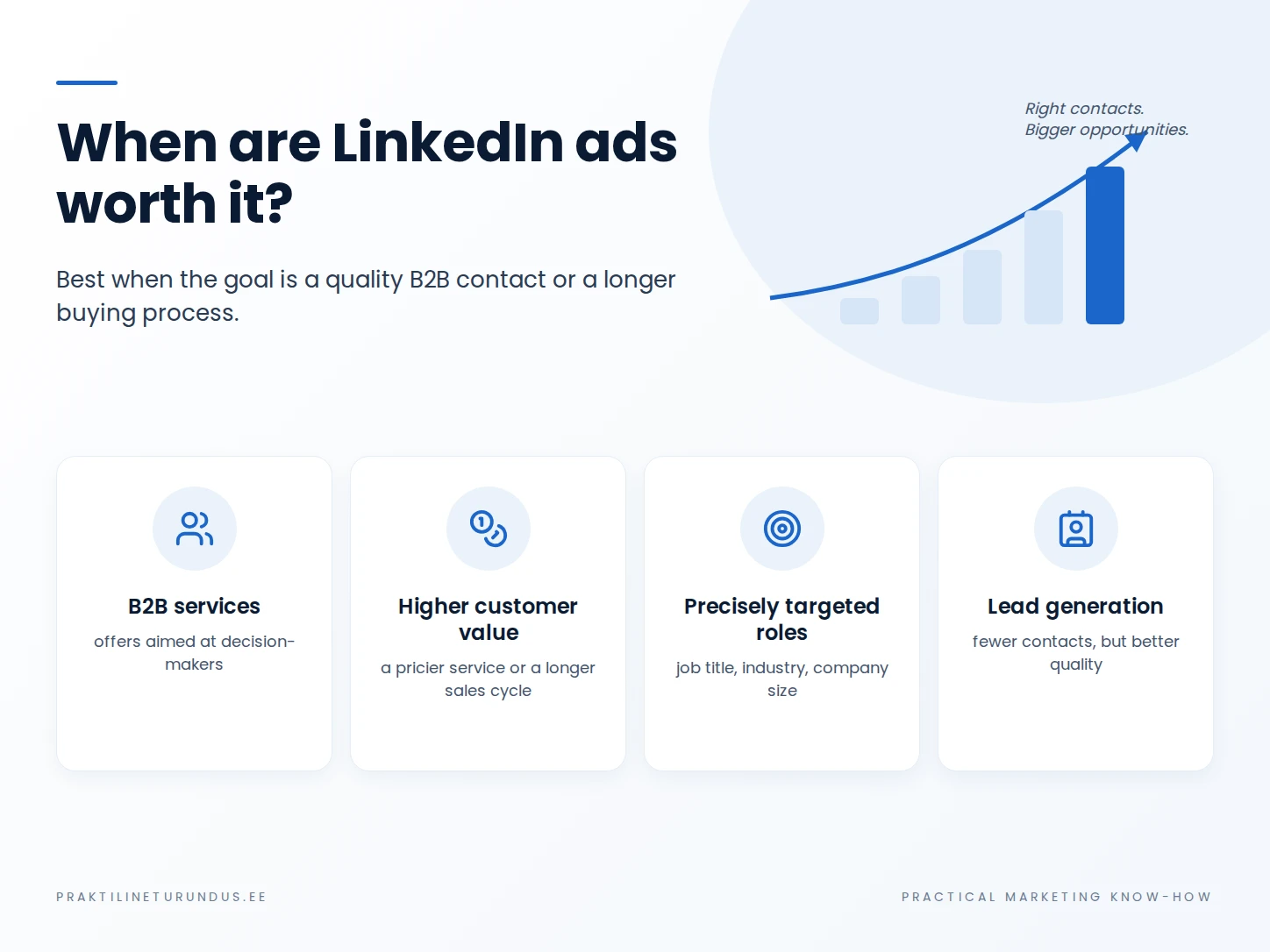
LinkedIn is a good fit if…
- the buyer’s role, company type or professional background can be clearly described;
- the value of one good lead is high enough;
- the offer needs trust and consideration, not an impulse purchase;
- the content, demo, consultation or other next step is genuinely valuable to the audience;
- lead quality can be assessed further after the form is submitted.
Wait a while if…
- “all companies” is essentially the whole audience description;
- the offer doesn’t stand out and the first valuable step is unclear;
- the budget is already split across too many channels;
- the company doesn’t know what happens to a lead after the form is submitted;
- campaign success is to be judged only by CTR or cheap clicks.
If the channel choice itself is still open, a good starting point is the comparison of Google Ads and Meta ads. The same principle applies when adding LinkedIn: the channel needs a clear role in the path to a purchase decision.
LinkedIn Ads objectives: what are you actually asking the platform for?
LinkedIn groups ad objectives into three funnel stages: awareness, consideration and conversion. As of 18 September 2026, Campaign Manager includes brand awareness, website visits, engagement, video views, lead generation, website conversions and job applicants objectives, among others. Talent leads is a separate option for companies with an active LinkedIn Recruiter contract.
| If your business needs… | Likely starting point | Key question to check |
|---|---|---|
| more visibility with the right audience | Brand awareness or video views | Can you measure reach and attention within the right audience, not just clicks? |
| good visitors to content or a service page | Website visits | Does the landing page follow through on the promise made in the ad? |
| a contact directly on LinkedIn | Lead generation | Does the form ask only for information sales actually needs? |
| a form, demo or other action on your own website | Website conversions | Does conversion tracking work and measure the right action? |
According to LinkedIn’s documentation, conversion tracking must be switched on to use the website conversions objective. The lead generation objective uses LinkedIn’s Lead Gen Form, which can pre-fill fields with the member’s LinkedIn profile data. So the two objectives serve a similar business goal, but the user reaches the form by a different route.
How to choose your audience on LinkedIn
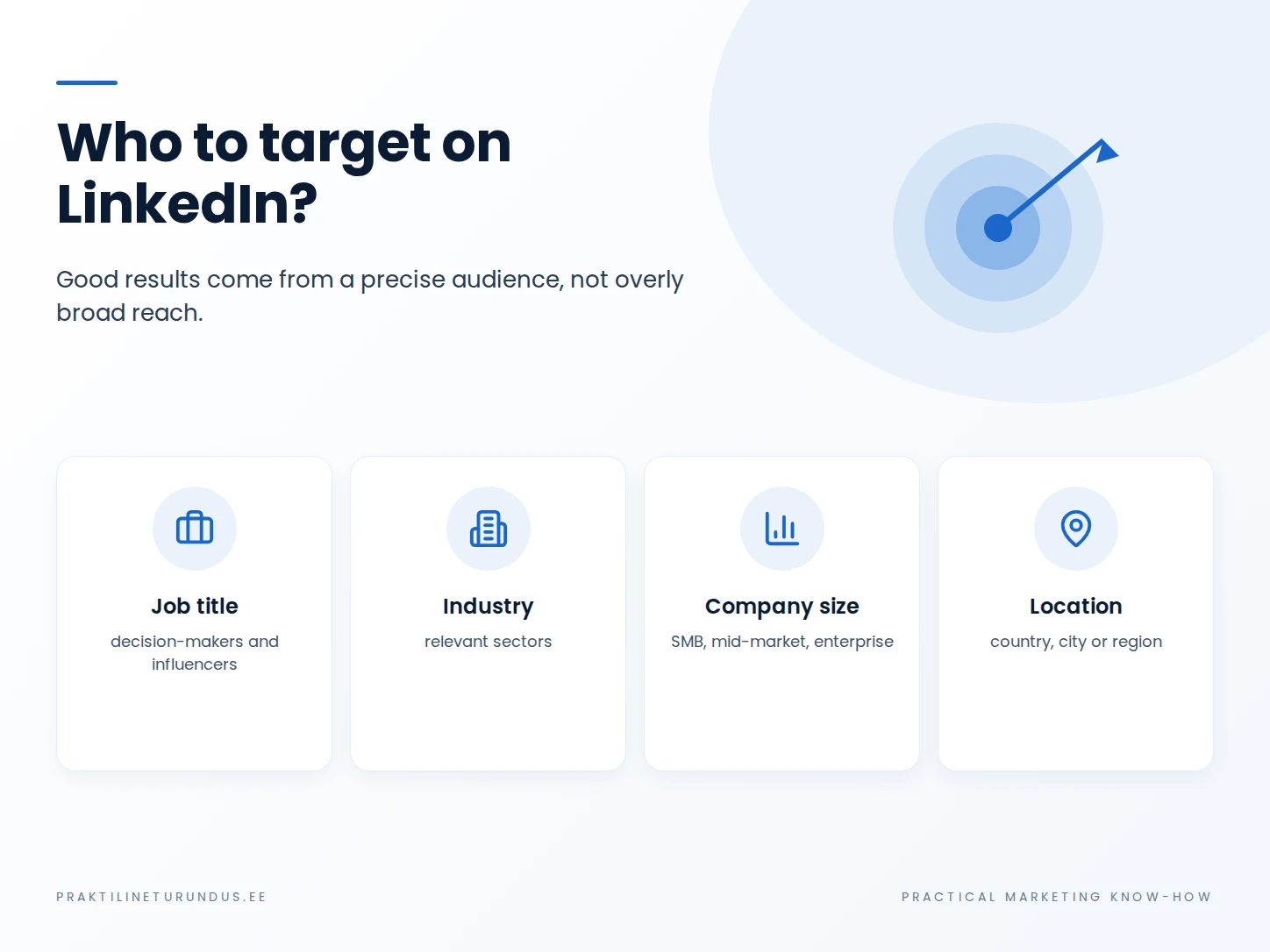
LinkedIn’s strength is the ability to describe a person through their professional context. In practice, that doesn’t mean that as many filters as possible automatically give a better result. Every extra criterion shrinks the audience and can make the campaign more sensitive to small profile or data errors.
| Audience approach | When is it useful? | Practical risk |
|---|---|---|
| Company attributes | When the right customer depends on company type, industry or size | Too many company filters can make the audience very small |
| Work experience and role | When a specific function or level of responsibility is involved in the purchase decision | Job titles can be inconsistent; think about the role, not just the exact job title |
| Matched Audiences | Contact or company lists, retargeting and other first-party data | In the EEA, audience size may be limited by members’ ad preferences |
| Broader or more automated audience | When the platform has enough data and the test has clear boundaries | Don’t hand over control until conversion tracking is reliable |
LinkedIn requires an audience of at least 300 member accounts for an active ad set. That’s a technical minimum, not a recommended audience size. A very small audience can saturate quickly and make results unstable. Forecasted Results in Campaign Manager helps you estimate before launch how large an audience your chosen criteria produce.
Which LinkedIn ad formats to use
Depending on the objective, LinkedIn supports single image, carousel, video, document, event and Sponsored Messaging formats, among others. The exact choice depends on the campaign objective and setup. So don’t start with “which format is best?”, but with what information a person needs to take the next step.
A simple single-message ad
A single image or short video works well for quickly explaining one problem, result or offer. The creative has to work without a long introduction.
Explanatory or expert content
Document, carousel or video formats help break a more complex topic into steps. They work when a person needs to get real value before a sales form.
Lead Gen Form or your own landing page?
LinkedIn Lead Gen Form
The form opens on LinkedIn and can be pre-filled with the member’s profile data. It cuts steps and works well when the value proposition is already clear enough in the ad.
Check: does the simple form bring contacts of the right quality, or does it just make contacts cheaper?
Your own landing page
Gives more room to explain the offer, proof, price and process. Works well when the purchase decision needs more context before the form.
Check: is the page fast on mobile, consistent with the ad message, and does it track a real conversion?
If you use your own website, see the separate practical guide to landing pages. With a Lead Gen Form, the analysis should continue in your CRM or sales process, because a form submission alone doesn’t tell you whether the contact matched your ideal customer profile.
How much do LinkedIn ads cost?
LinkedIn ads have no universal CPC, CPL or “right monthly budget”. The cost depends on the auction, audience, campaign objective, bidding strategy, competition and ad performance. According to LinkedIn’s own budget guide, the technical daily minimum to start advertising is 10 US dollars, and the minimum lifetime budget for a new inactive campaign is 100 US dollars. These are platform limits, not a recommendation for how big a test budget a company in Estonia should have.
A meaningful budget should come from business logic. What is one qualified lead or customer worth? What acquisition cost leaves enough margin? How many results do you need to tell chance from a real result? The same decision logic is covered in more detail in the practical guide to CPA and ROAS.
Practical tip: if your budget is limited, first test one clear audience, one business goal and a few genuinely different approaches. Launching five small ad sets at once doesn’t automatically give you five times the learning.
Setting up LinkedIn ads step by step
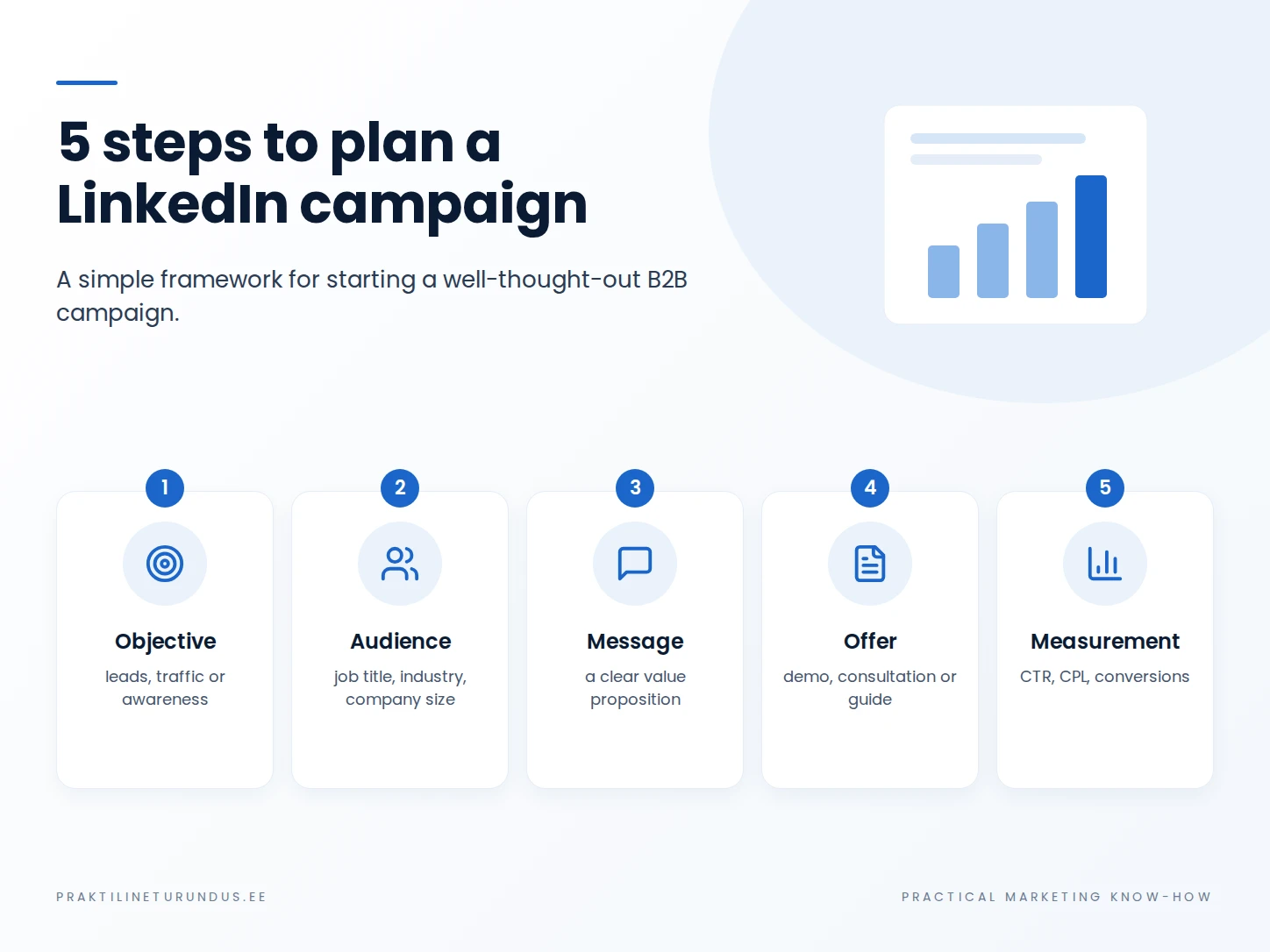
The infographic sums up campaign planning as five core elements. Below, the same logic is written out as seven practical checks, so the setup and tracking can each be checked before launch.
1. Define one measurable business result
“We want to be visible on LinkedIn” is a marketing wish, not yet a campaign objective. Define what change needs to happen: awareness among the right companies, demo bookings, qualified enquiries, website conversions or another specific result.
2. Choose the objective by result, not convenience
If you need leads, website visits isn’t automatically the right choice just because clicks are easier to get. LinkedIn optimises for the objective you choose. Choose a result that’s as close as possible to the business outcome and whose quality you can check.
3. Build the audience around the buying process
First think about who owns the problem, who influences the choice and who makes the final decision. Then translate that into LinkedIn attributes. Avoid a situation where ten filters describe the ideal person on paper but leave the campaign with too small an actual audience.
4. Connect the ad and the next step
The ad has to say why the audience should stop and what they get after clicking. If the next step is a demo, audit or guide, the promise has to be specific. If you send people to your website, the same message has to continue on the page. If you use a Lead Gen Form, ask only for information that really matters for qualification.
5. Set the budget against an economic limit
Before launch, decide what CPL or customer acquisition cost would still be reasonable for the business. That doesn’t mean the campaign has to hit the limit in the first week, but without an economic benchmark you can’t decide later whether a result is good or just “better than last month”.
6. Set up tracking before increasing the budget
If you use your own website, set up the LinkedIn Insight Tag and the conversions you need, and test them. Based on the Insight Tag, LinkedIn’s Website Actions can detect button clicks, page visits and form submissions, among other things. LinkedIn notes that Website Actions usually become visible within 24 hours of installing the tag, but in some cases it can take up to 72 hours.
LinkedIn specifically warns that the Insight Tag shouldn’t be installed on pages that contain or collect sensitive data. The company also needs to assess cookie, consent and data protection requirements based on its actual technical setup. To understand the consent logic for web tags, see the guide to Cookie Consent and Consent Mode.
7. Agree before launch on when you’ll decide
Set the time of the first review, the amount of data you need and the criteria. Don’t change the audience, format, offer, landing page and optimisation goal all at once. Otherwise the result may change, but you won’t know why.
How to measure LinkedIn ad results
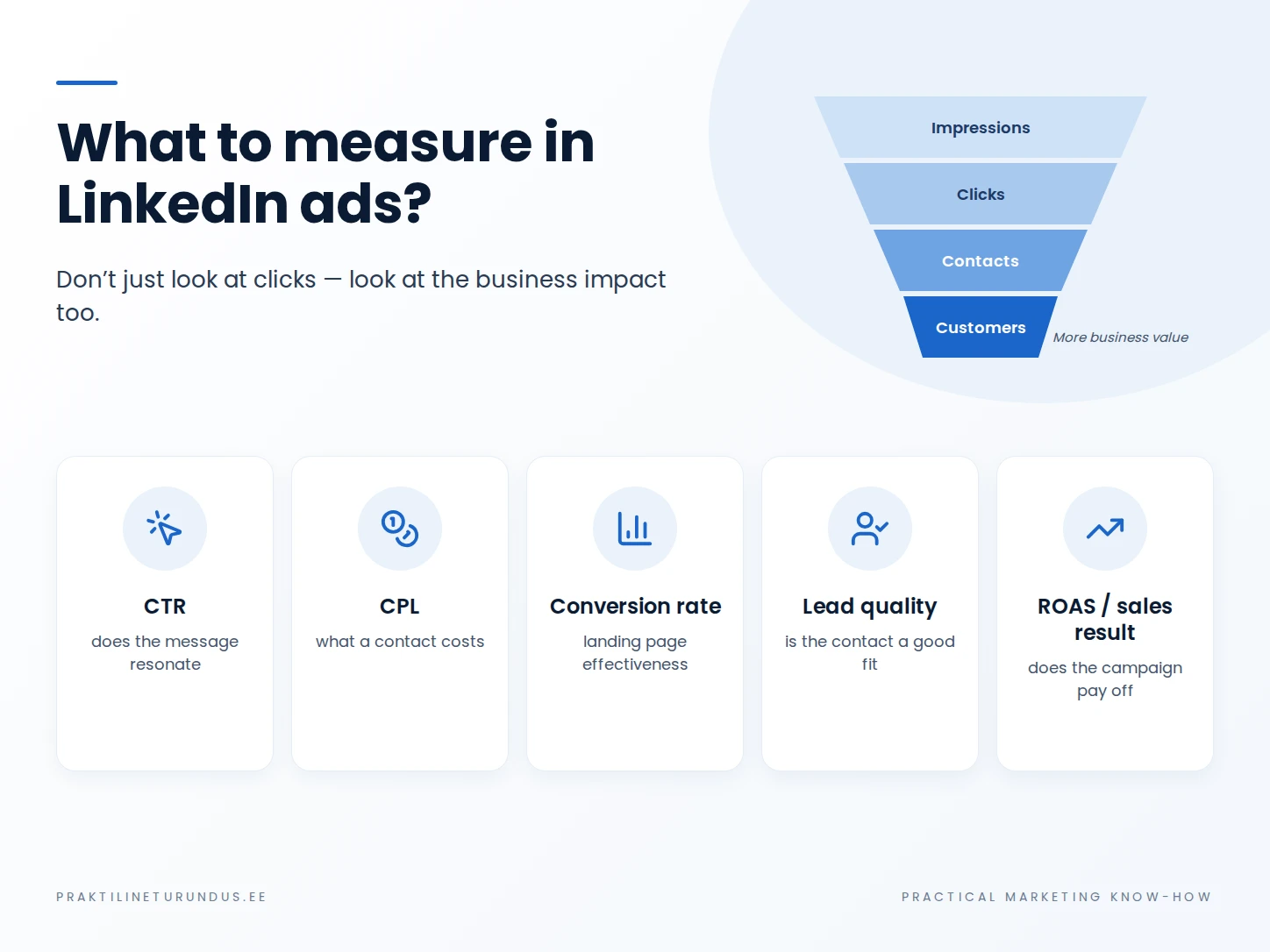
Campaign Manager shows the key result and cost per result based on the chosen objective and optimisation logic. That’s necessary for managing the campaign, but not enough on its own for a business decision. For example, a Lead Gen campaign can deliver a low CPL, but if most contacts don’t meet the sales criteria, the campaign isn’t actually cheap.
| Measurement level | What to look at | What question it answers |
|---|---|---|
| Delivery | Spend, impressions, reach, frequency | Did we reach the intended audience? |
| Response | Clicks, CTR, video views, engagement | Did the message get attention and interest? |
| Conversion | Leads, website conversions, CPL or CPA | Did the person take the desired next step? |
| Business result | Qualified leads, sales opportunities, deals, customer value | Did the campaign create real value for the business? |
If the ad leads to your website, add consistent UTM parameters to the links so campaign visits can also be identified in web analytics. For that, see the guide to UTM parameters. UTMs don’t replace LinkedIn’s conversion tracking; they give a second view of how users move.
If the goal is leads, take the analysis beyond form submissions into your CRM, or at least to the qualification status, where possible. The general principles of setting up conversions technically are covered on the conversion tracking service page.
Common mistakes in LinkedIn Ads
The audience is made too narrow.
Many job titles, industries and company filters are combined at once and the campaign loses volume.
The Lead Gen Form is too simple.
The number of contacts grows, but sales then has to filter out unsuitable people manually.
The ad only talks about the company.
The audience can’t quickly tell what problem is being solved or why the next step is worth their time.
Success is judged by CPC.
A click from a professional audience may cost more, but what matters is the economic value of a qualified enquiry and a customer.
The landing page is a generic home page.
The ad’s specific promise gets lost and the user has to work out what to do next.
Tracking stops at Campaign Manager.
The platform knows about the contact, but the company doesn’t link it to sales quality or a deal.
Frequently asked questions
Are LinkedIn ads only for B2B companies?
No, but LinkedIn’s professional targeting options give a particularly clear advantage when the buyer’s role or company characteristics can be used as the basis for targeting. For B2C, the value has to be linked to a professional context, or the channel needs another clear role.
How much do LinkedIn ads cost?
There’s no single universal price. LinkedIn uses an ad auction, and the cost depends on the audience, objective, competition, bidding strategy and ad performance. The platform’s technical daily minimum isn’t the same as a meaningful test budget.
Should I use a Lead Gen Form or send people to my website?
A Lead Gen Form cuts steps and can work well for a simple offer. A website is a better fit when the user needs more information, proof or pricing context before getting in touch. Judge the choice by cost per qualified lead, not just cost per form submission.
Do I need the LinkedIn Insight Tag?
If you want to track website conversions, use Website Actions or build retargeting audiences from website visitors, the Insight Tag is a central part of the setup. When using the tag, follow LinkedIn’s requirements and assess your website’s consent and data protection logic.
Sources
- LinkedIn Help: Marketing objectives available for your ad campaigns
- LinkedIn Marketing Solutions Help: Targeting options for LinkedIn Ads
- LinkedIn Marketing Solutions Help: Lead generation ad objective
- LinkedIn Marketing Solutions Help: Website conversions ad objective
- LinkedIn Marketing Solutions: Making the Most of Your Budget
- LinkedIn Marketing Solutions Help: LinkedIn Insight Tag
- LinkedIn Marketing Solutions Help: Understanding Website Actions
- LinkedIn Help: Objective-based reporting with key results
LinkedIn Campaign Manager objectives, targeting, budget limits and measurement features were checked against LinkedIn’s official documentation on 18 September 2026. Feature availability may vary by account and market and change with platform updates.